

KS Production Tools — Download Center
Get the latest compiled version of the automation package for Autodesk Revit 2024, 2025, 2026.
Active Tools In This Package
Below are the tools currently implemented and ready for production use:
Auto Dimension
Intelligently generates flawless linear dimension chains for selected walls. Automatically analyzes multi-room contexts, open-ended chains, and intersecting T-junctions to identify internal room boundaries. It seamlessly embeds clear window and door width steps into the dimension segment while dynamically preventing duplicate references or zero-value glitches.
AI Render
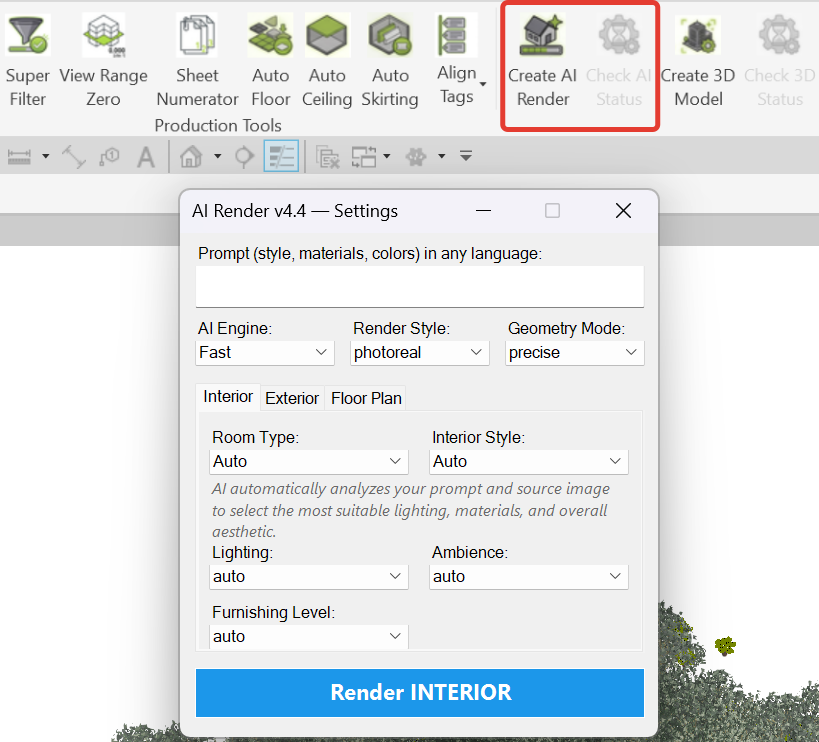
Transform your Revit views into photorealistic images instantly with our integrated AI rendering engine. Apply styles, lighting, and materials directly through text prompts without ever leaving your BIM environment.
AI 3D Model from Picture
Automatically generate native Revit 3D families directly from 2D reference images. Our upcoming AI reconstruction tool will analyze pictures and build accurate geometry ready to be placed in your project.

Smart Finishing (Floors, Ceilings & Skirting)
A comprehensive suite that automatically generates architectural floors, ceilings, and skirting boards strictly along room boundaries. It intelligently processes door openings to trim skirting paths and precisely calculates relative elevations by extracting data directly from the room’s finish parameters.

Custom Family Buttons
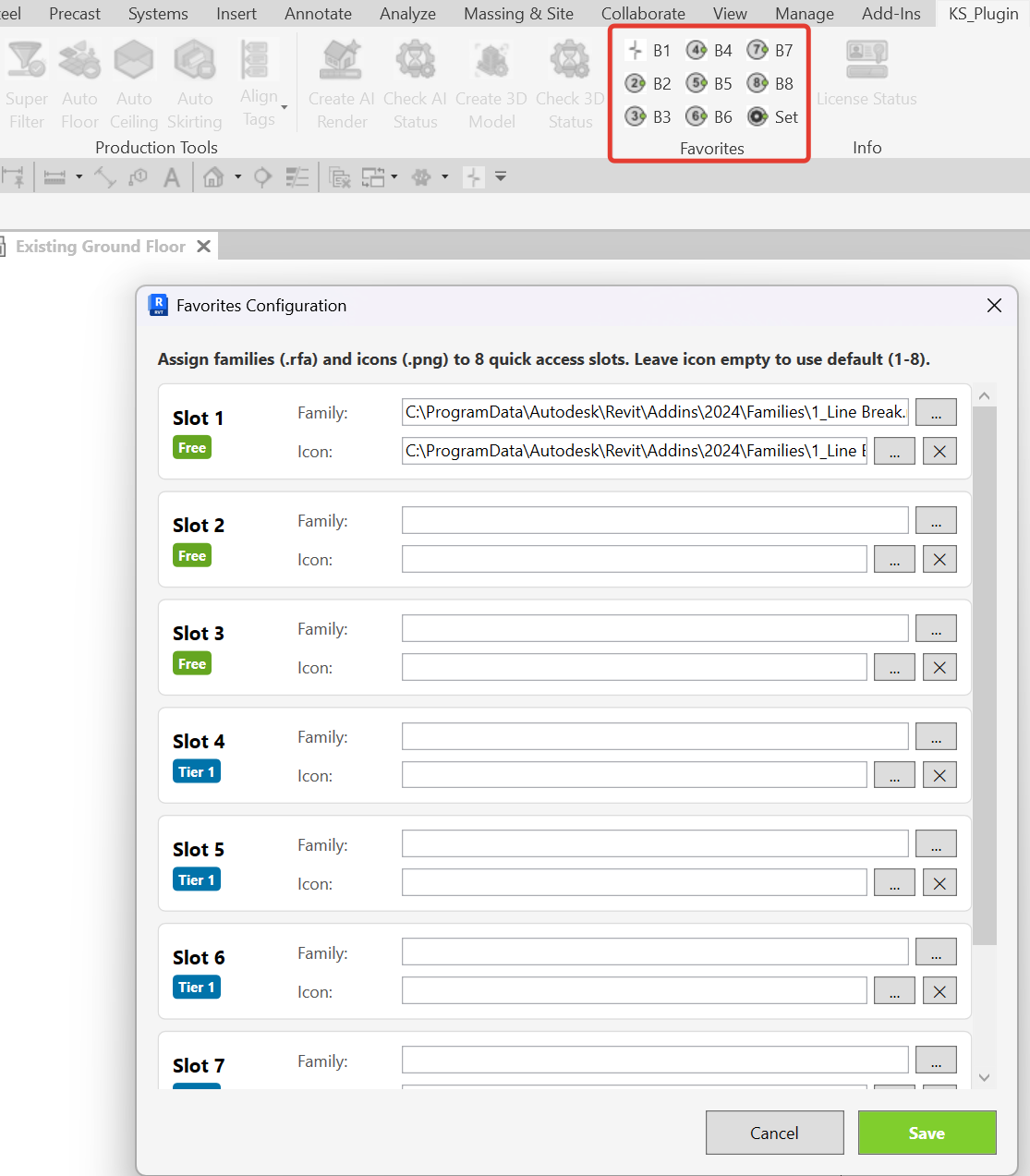
A fully programmable ribbon where each button triggers a specific family placement. Assign any .rfa file to a dedicated button, eliminate search time, and streamline your BIM modeling process with instant 1-click access to your most used families.
Super Filter
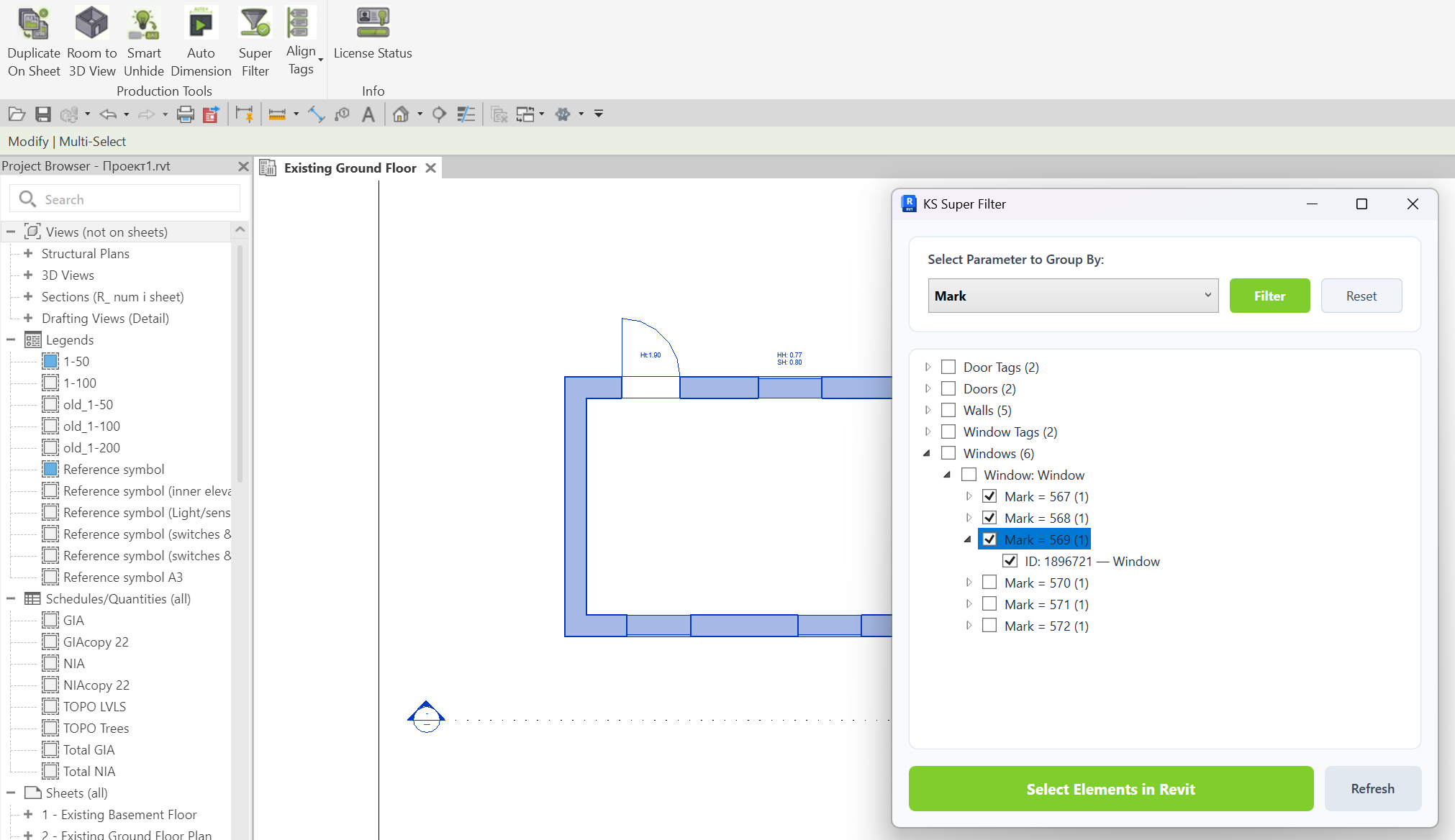
Advanced non-modal filtering tool. Isolate and select elements by category, family, type, and specific parameter values. Features a pinned parameters list for quick access, Shift-click range selection, and real-time model selection refresh without closing the window.
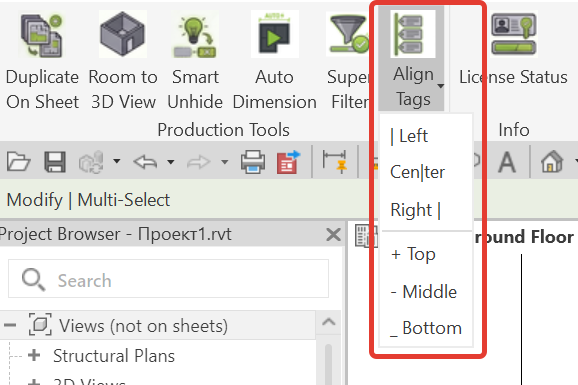
Align Tags & Text
A set of tools for tidying up documentation view layouts. Instantly align multiple selected tags, text notes, or keynotes along a specified horizontal or vertical axis. Create clean, readable drawings by distributing elements evenly or aligning them to defined boundaries in a single click.
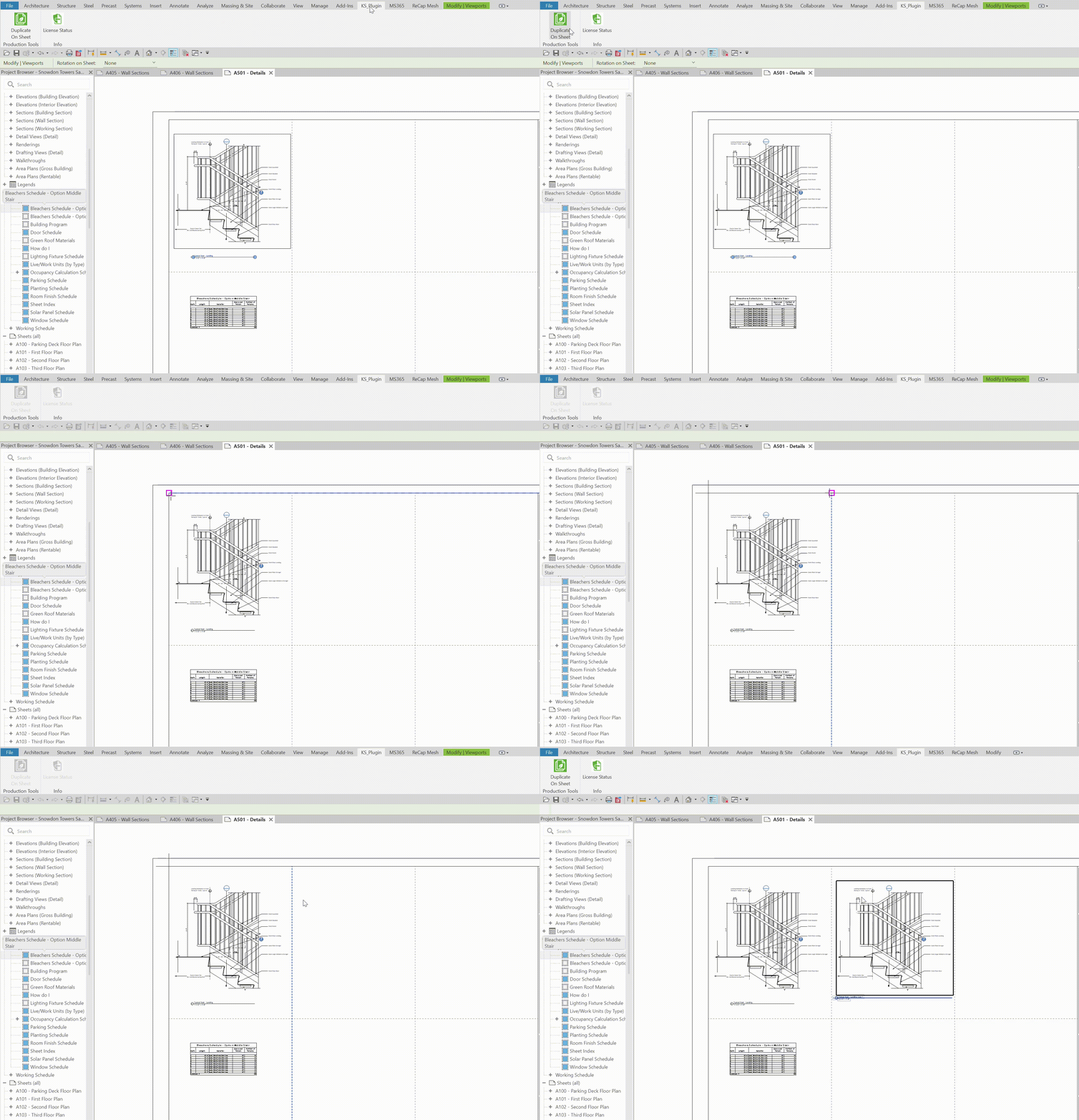
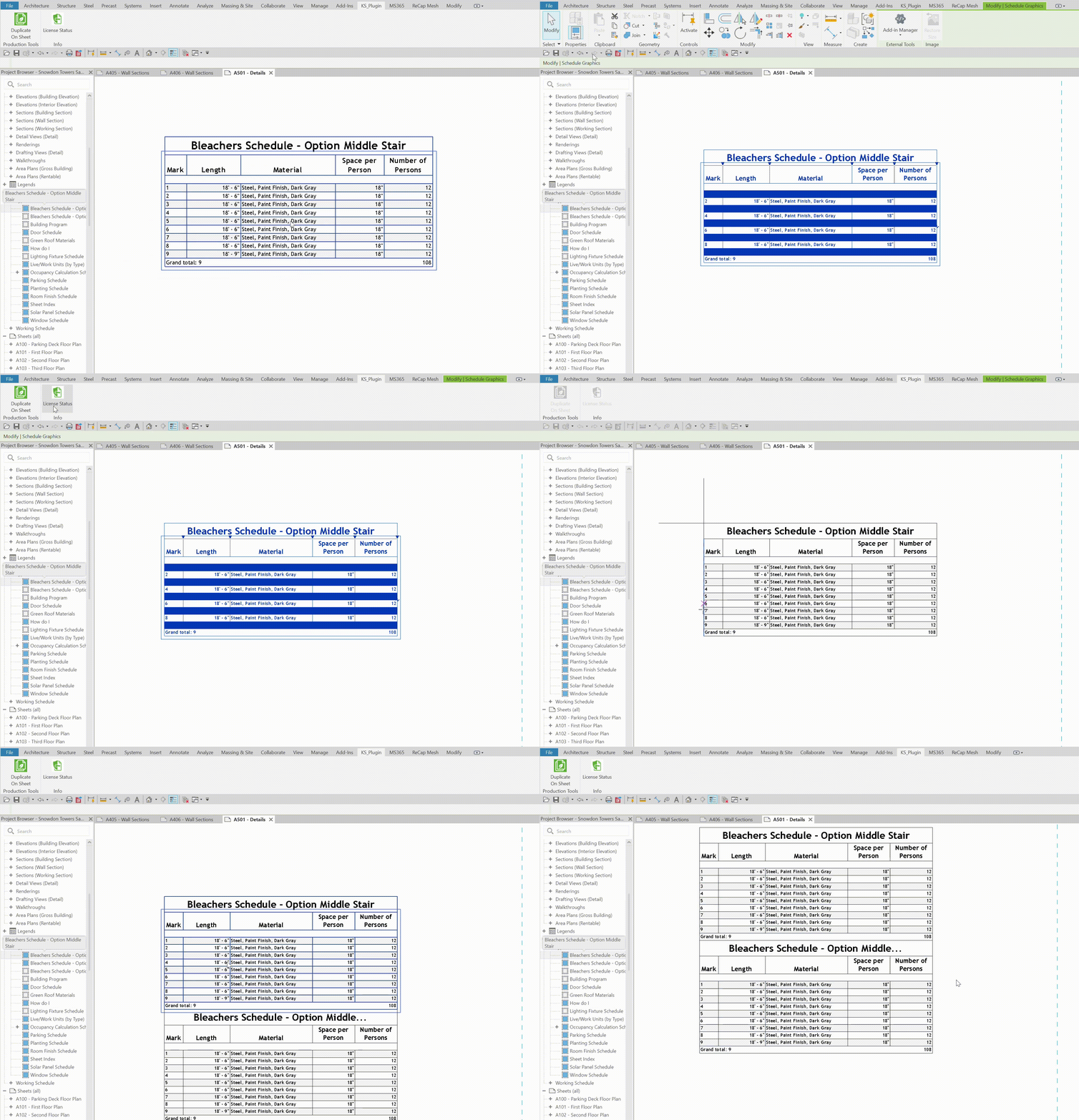
Duplicate On Sheet
Instantly duplicates viewports, legends, independent schedule instances, text notes, and raster images directly on the active sheet view. Uses precise base-point displacement alignment to speed up layout updates.
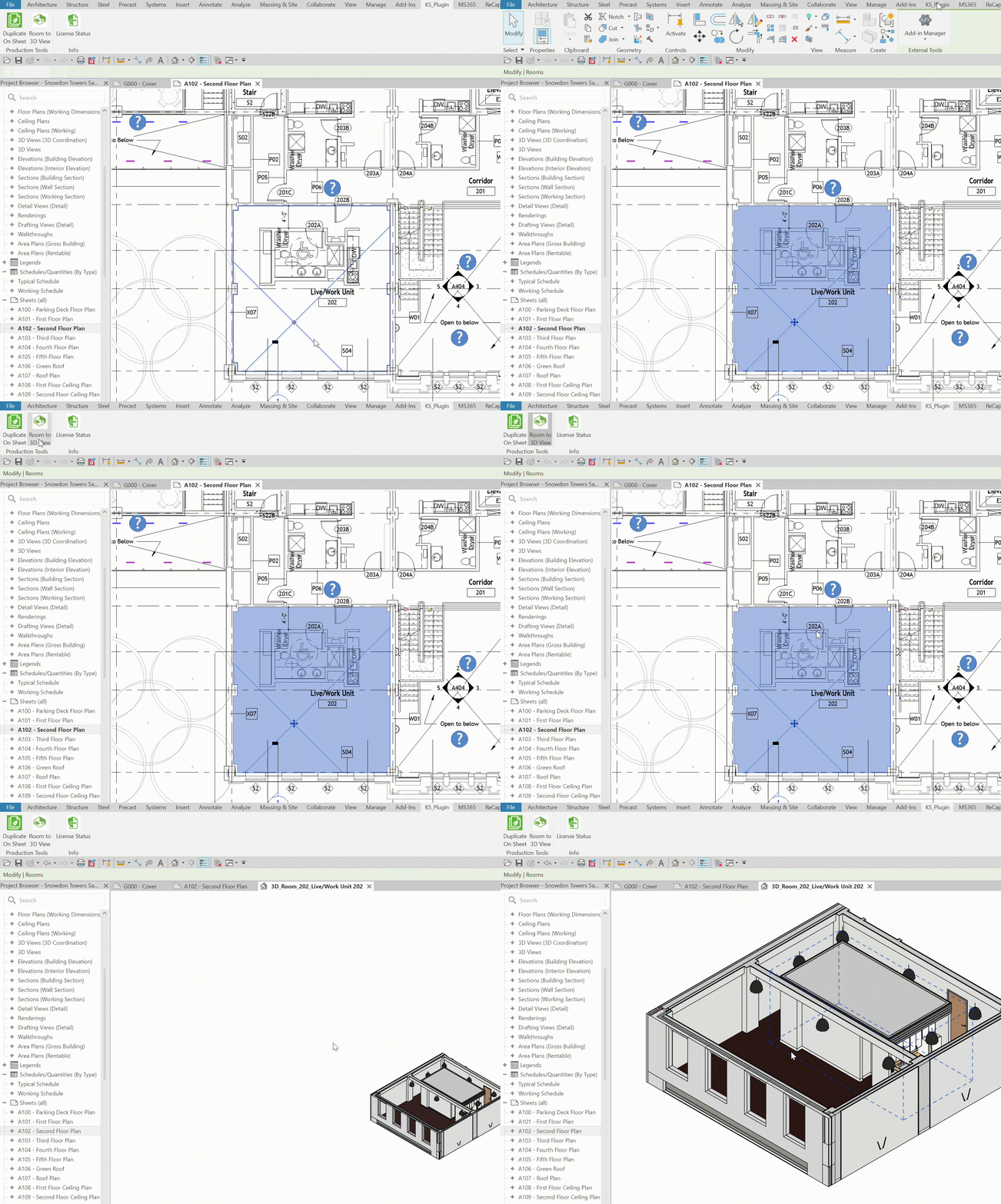
Room to 3D View
Instantly generate a cropped 3D view (Section Box) based on the selected room boundaries. Automatically adjusts the top and bottom offsets to expose the interior perfectly.
Smart Unhide
Quickly reveals elements that were manually hidden in the active view. Bypasses the slow native “Reveal Hidden Elements” mode by providing an instant, clean list of hidden objects, allowing you to selectively restore their visibility with a single click.
